Most small businesses are not choosing their security level. They are inheriting it. Whatever came with the computers, whatever the last person set up, whatever seemed good enough likely years ago when it was addressed, that becomes the default cybersecurity budget.
That default usually works, right up until it doesn’t. And when it doesn’t, the gap is rarely some exotic hacker trick. It is basic stuff: reused passwords, no MFA, a backup that exists but cannot be restored, one unpatched machine that becomes the front door. If you are going to spend money anywhere, spend it where it changes the outcome of those boring, common failures.
So here’s the practical question: are you running bare minimum, or business-grade protection? How about nothing all, or you don’t know?
The problem: “small” is not a security strategy
Small teams get hit for the same reason small storefronts get broken into. Because they are easy targets. Attackers do not need to have insider knowledge or really even know about your company at all. They need a mailbox user they can trick, a password they can reuse, or a remote access service they can find on the internet.
In 2024, 43% of cyberattacks targeted small businesses, yet only 26% of small businesses rated their ability to mitigate cyber risks as highly effective.1 That mismatch is the problem. The attackers are not confused about where the soft targets are. The misstep is on the business side, where “we’re too small” still gets treated like a control.
Why it gets worse: the cost is mostly downtime, not the ransom
For a smaller office, the ransom itself is usually not the biggest cost. Owners focus on it because it is a simple number: pay this amount, get your files back. In reality, the real expense is everything surrounding it: the days your team cannot work, the effort to rebuild systems, the time spent figuring out what was affected, and the lingering cleanup afterward.
In an SMB office, it does not take much for the losses to stack up fast. A few days of downtime can mean missed revenue, employees being paid while productivity stalls, delayed client work, and leadership getting pulled away from actually running the business.
That is why ransomware hits smaller firms so hard. They usually do not have much slack. If MFA is inconsistent, patching is informal, or backups have not been tested, one successful phishing email can turn into a full operational shutdown.
Take a 10-person professional services office. If they normally bill around $6,700 a day, and a ransomware incident knocks out their line-of-business app and file access for eight business days, they are looking at roughly $53,000 in disrupted revenue right out of the gate. And that is before payroll, emergency IT labor, recovery work, or any manual reconstruction of missing data.
Then the real headache starts. Clients want updates. Deadlines slip. Staff are still on the clock but cannot work normally. And sooner or later, someone has to explain that you still do not know whether sensitive files were merely encrypted or actually accessed.
That is the part a lot of businesses miss. “Bare minimum” security is not really a technical choice. It is a financial gamble. Saving $50 per user per month can sound prudent, right up until one incident wipes out tens of thousands of dollars in a single week.
Three protection levels, and what they really mean for your cybersecurity budget
Level 1: Bare minimum
This is the low-cost, checkbox approach to cybersecurity. A business may have basic antivirus, informal password habits, and backups that look adequate on paper, but the overall setup is still too weak for a small business that depends on its systems every day.
The problem is not just that it is inexpensive. It is that it is insufficient. For most SMBs, this level leaves too many gaps in account security, backup resilience, monitoring, and day-to-day protection. It may reduce obvious noise, but it does not provide the kind of defense a business can reasonably rely on when a real incident happens.
The result is simple: lower monthly spend, but much higher operational and financial risk.
Level 2: Basic Security (not glamorous, but it stops a lot)
This is where most small businesses should start if they are currently at bare minimum. It is not “advanced security.” It is just doing the basics consistently.
A realistic basic-hygiene package for a small team typically runs $20-$40 per user per month in licensing and services, depending on what you already have. In plain terms, that budget usually covers:
- Business grade domain email with strong authentication options (Microsoft 365, Google Workspace). If it ends in @gmail.com or @aol.com (yikes) you need to upgrade
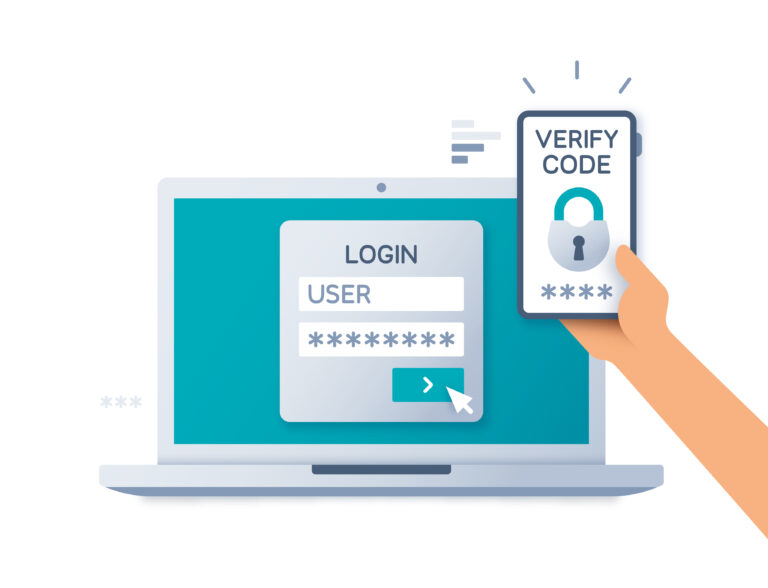
- MFA (multi-factor authentication) enabled
- Monitored OS patching, meaning updates are enforced and tracked, and the computers *gasp* get restarted
- Enterprise grade backups that run automatically, with offsite replication, and monitored for completion
- Basic security awareness training, because phishing is still the primary front door
This level prevents a lot of opportunistic attacks. It’s the thief on your street at 2am seeing your barred gates and deadbolts and saying “I’ll find an easier target.” It also reduces the blast radius when something does get through. If you want a simple place to start, I wrote a separate post on why MFA is the simple security fix most small businesses skip. MFA is not magic, but it is one of the rare controls that dramatically changes outcomes for a small team.
Level 3: Business-grade managed protection (layered, monitored, and practiced)
This is what you buy when downtime is unacceptable, when you have client contractual requirements, or when you have enough operational complexity that “we’ll handle it if it happens” is not a plan.
For small teams, business-grade managed protection often lands around $60 to $120 per user per month when bundled with managed IT support. That number is higher because you are not just buying tools. You are buying ongoing management and response capability.
What’s typically included at this level:
- Network hardening: a properly configured firewall and sensible network segmentation to contain problems and reduce blast radius.
- EDR: endpoint detection and response that looks for suspicious behavior, not just known malware signatures.
- Managed monitoring: alerts reviewed and triaged by actual people, not just dumped into a dashboard nobody checks.
- DNS filtering: blocks known malicious domains and command-and-control traffic before users or systems can reach them.
- Privileged access controls, so admin accounts are limited, tracked, and harder to abuse
- Technology planning: new initiatives are evaluated before deployment so they are rolled out safely, integrated properly, and do not create unnecessary security or operational problems.
This is also the level where backups get treated like a system, not a checkbox. Backups should be automated, offsite, and tested. If backups are an area you know is shaky, my post on why data backup matters for small businesses goes deeper on what “good” looks like in practice.
The key difference with business-grade is not that it blocks every
What can I do right now?
If you want to sanity-check where you are without buying anything today, do these four things this week.
- Turn on MFA for email and any remote access tools. Start with owners, finance, and anyone with admin access.
- List your admin accounts, including who has local admin on PCs and who has admin access to cloud services. If you cannot answer this quickly, that is a gap.
- Confirm backups for critical data are running and recoverable – if it’s image based backups, test if they are accessible. If it’s folder level, is it updating? Check. At minimum.
- Pick one computer and check patch status for the operating system and major apps. If it is behind by months, assume the rest of the fleet is too.
Small businesses usually do not make a deliberate cybersecurity decision. They inherit whatever is already in place, whatever feels adequate, or whatever has simply not failed yet. That is how “good enough” becomes the default, even when nobody has really evaluated whether it is enough for the way the business operates today.
The practical question is not whether you have some security. It is whether you have enough to meaningfully reduce risk, downtime, and avoidable disruption. For a small team, the difference between bare minimum and business-grade protection is often the difference between a minor issue and a real business interruption.
Stay safe out there, get in touch if you have any questions or concerns!
Michael Zull | MZ DATA Founder
Sources
1 IBM / Ponemon Institute, Cost of a Data Breach Report, 2024
2 Coveware Quarterly Ransomware Report, 2024
3 Verizon Data Breach Investigations Report, 2024
Want to assess your security posture? We offer complimentary security assessments for LA/OC businesses – no obligation, just a clear picture of where you stand. Reach out and we’ll walk you through it.